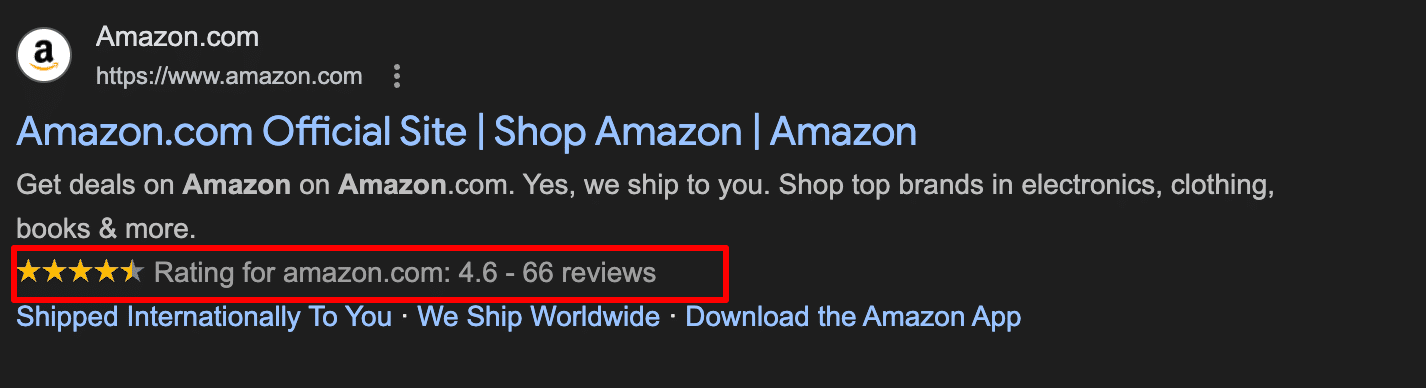
Think of SEO Schema (also called structured data) as a digital translator for your website. While humans see your site as a collection of beautiful images and text, search engines see it as code. Schema provides a “name tag” for your content – telling Google exactly what is a product price, what is a customer review, and what is a business address.
By adding these tags, search engines can verify your page information more quickly and accurately, helping to increase the Click-Through Rate (CTR) for the page – like those eye-catching star ratings and price tags you see in search results – which helps you stand out and get more clicks.
Set up your loyalty schema
注意: To start, please make sure you have installed both BON Loyalty and SearchPie on your store.
Q: Why do I click connect but cannot perform the action/there was an error message?
A: Please make sure to check your subscription plan. This feature is available only to Growth subscribers of BON Loyalty, and Enterprise subscribers of SearchPie.
1. Set up in BON Loyalty
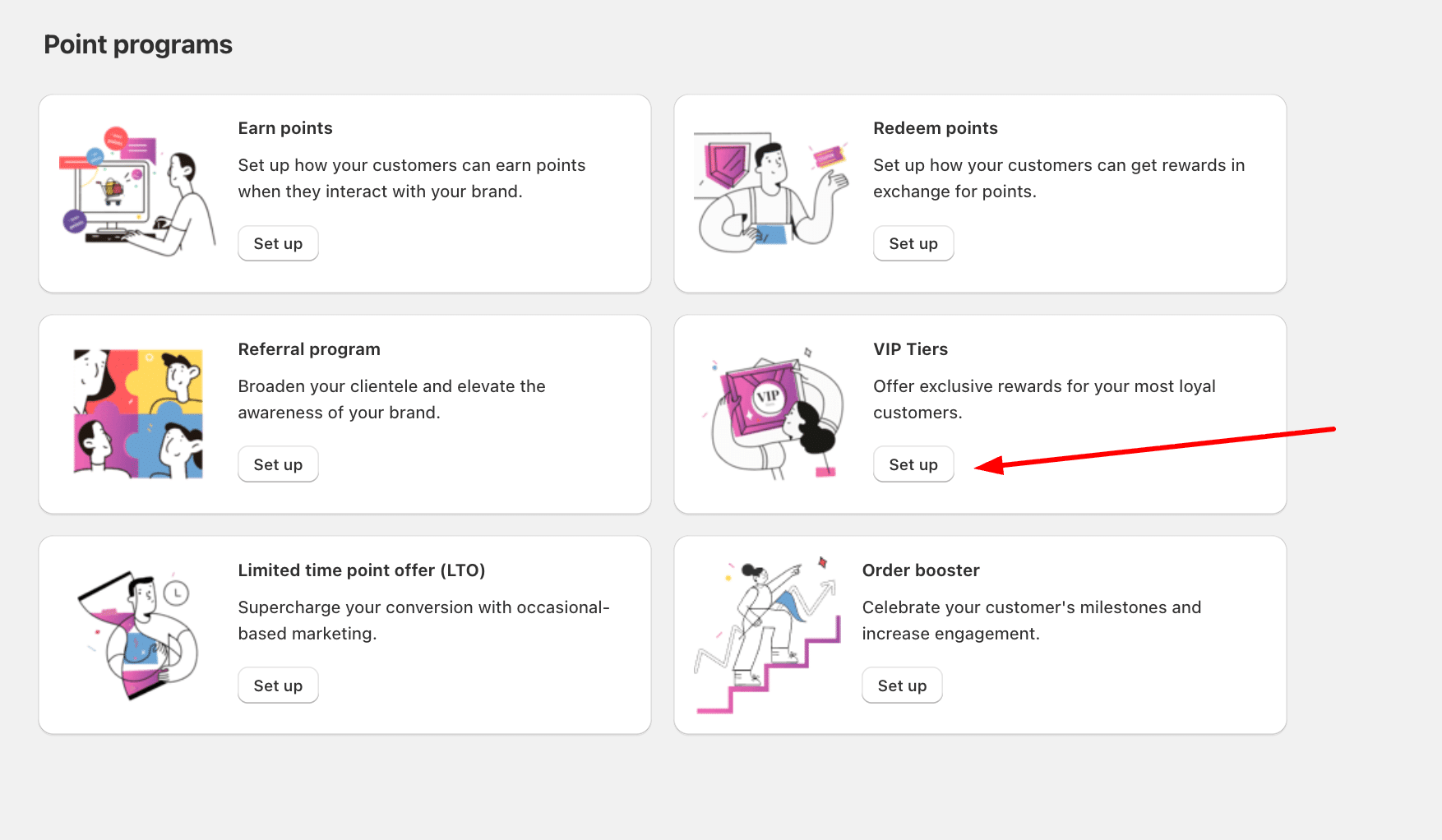
In BON Loyalty, go to Points program > VIP Tiers.
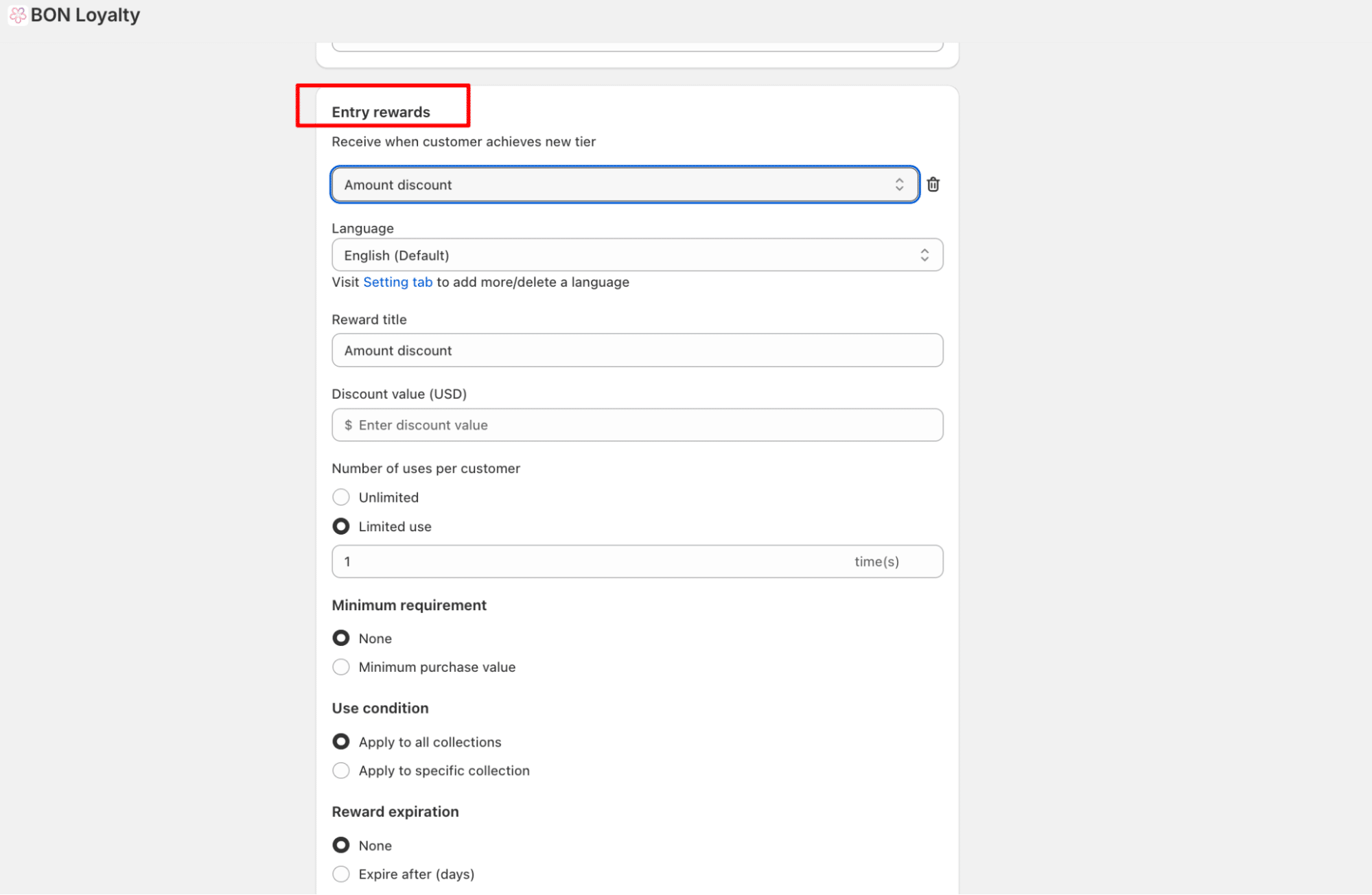
Go to Entry reward > Fill in the reward value and configure the conditions followed. Then click Save. You may do this to other tiers as well.
Once the setting for entry rewards is completed, scroll down to the section called ‘Search Appearance’. Click Connect now.
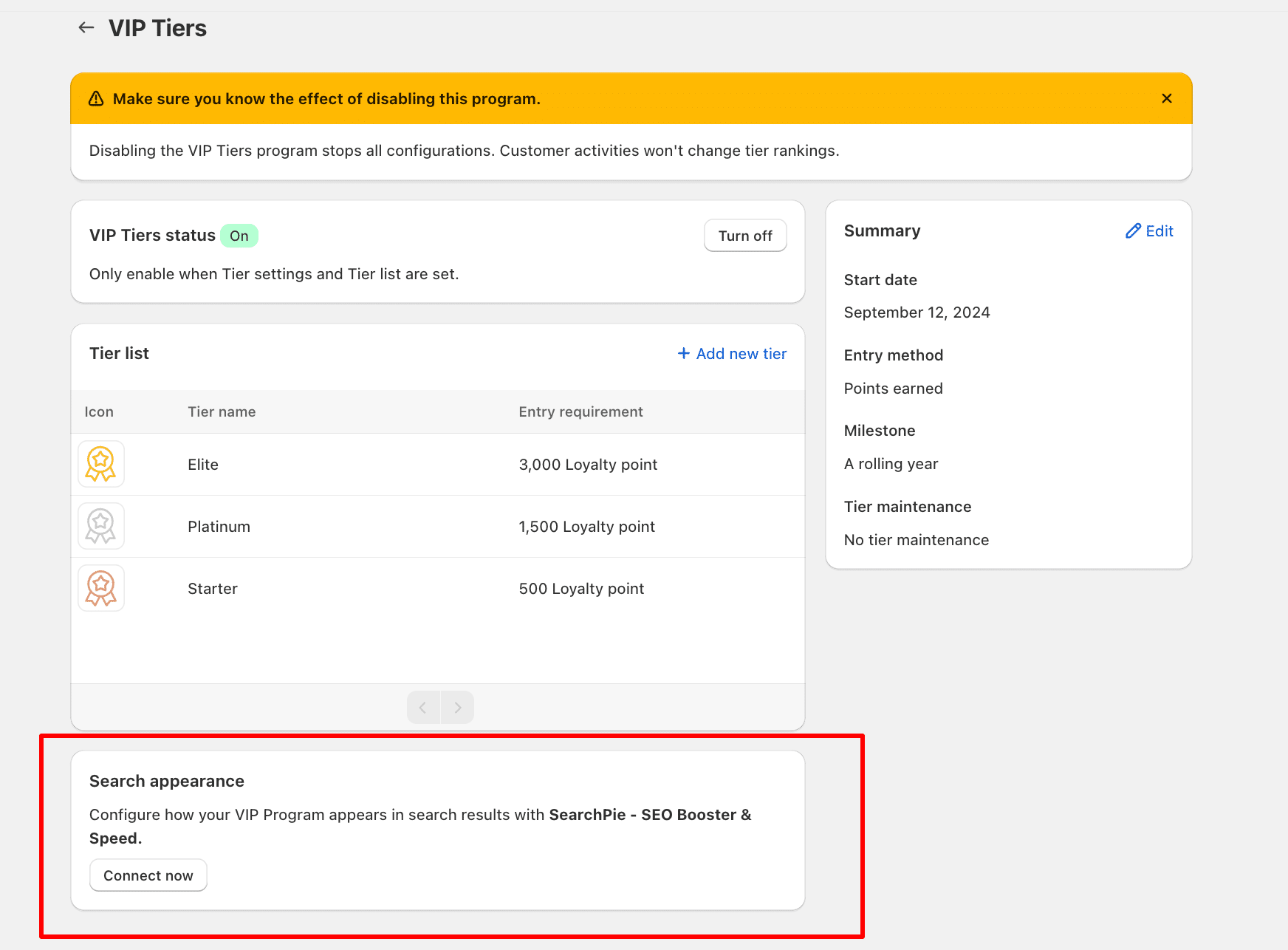
Once the status appears as ‘Connected’, your VIP’s entry reward details will be synced to SearchPie.
2. Set up your schema in SearchPie
To set up the loyalty schema in SearchPie, please go to On-page & content. Then, switch on the toggle for Loyalty. Then click ‘Set up’.
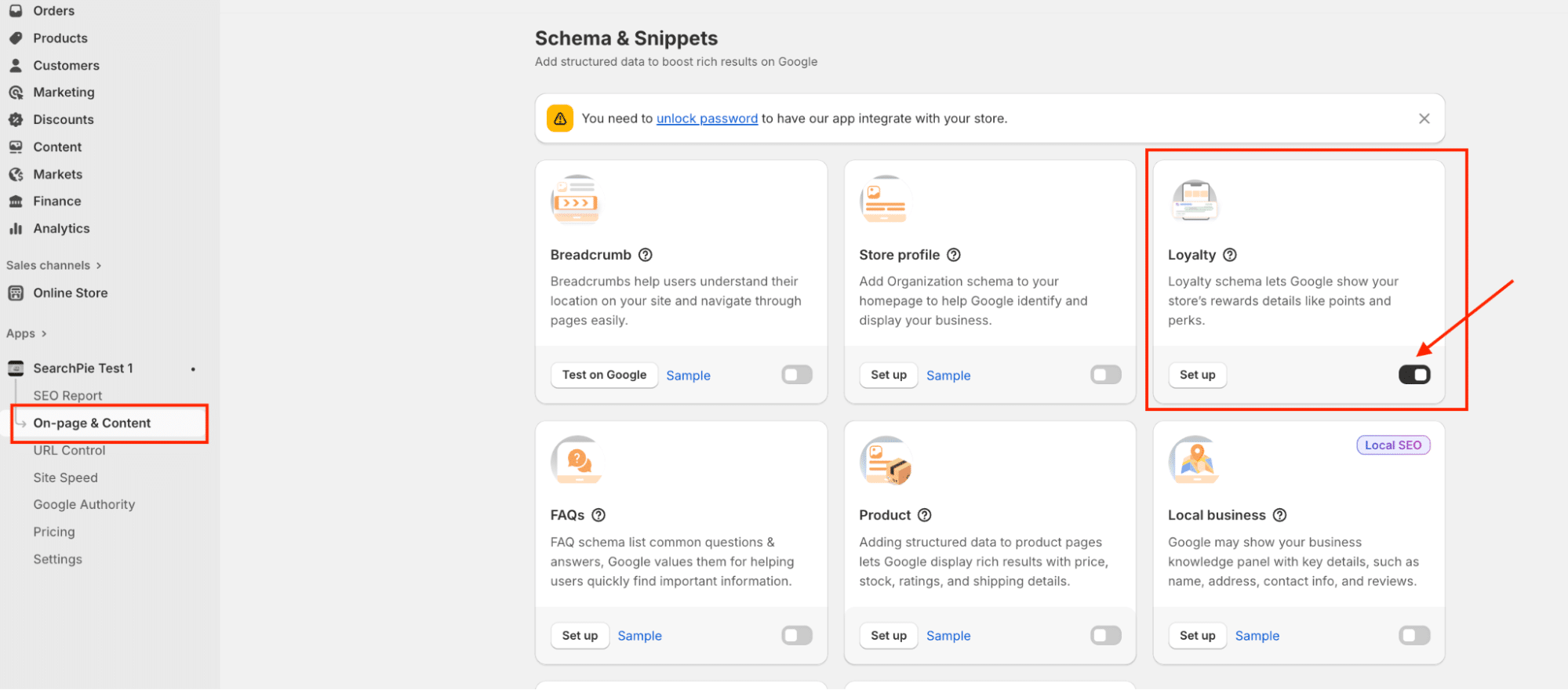
Once you connect successfully with SearchPie via BON Loyalty, the entry reward details will be synchronized from BON to SearchPie.
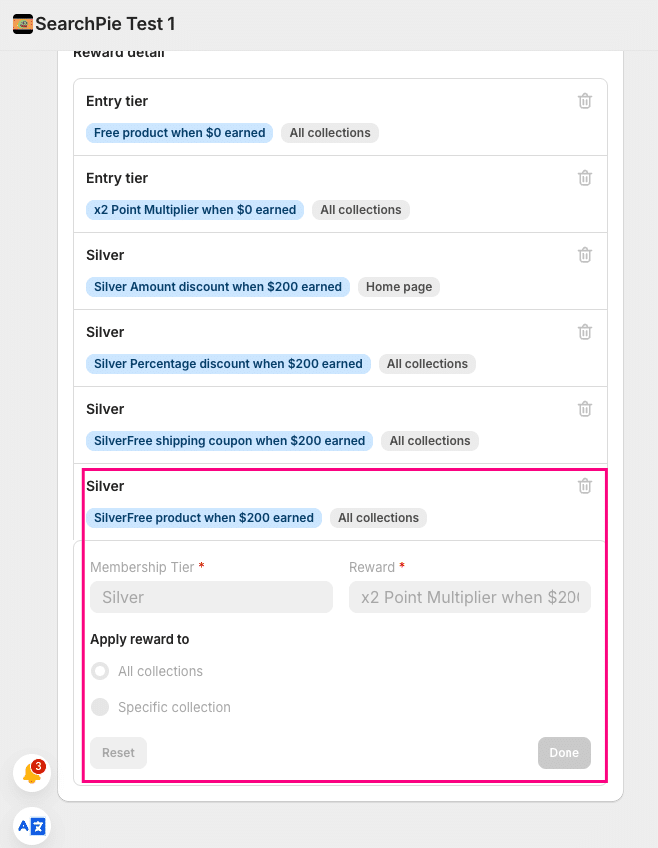
3. What happens if I downgrade my plan?
If you downgrade your subscription plan in BON Loyalty or SearchPie, the integration between these two apps will be automatically disconnected. Your settings will be saved and can be activated again once you upgrade to the eligible plan.