bon-loyaltybon-loyaltybon-loyaltybon-loyalty
  • 特徴
  • ドキュメント
  • ブログ
    • 最新アップデート
    • ブログ
  • 料金プラン
  • リソース
    • BON LoyaltyとSmile.ioの比較
    • BON LoyaltyとRivoの比較
    • BON LoyaltyとGrowaveの比較
    • BON LoyaltyとLoyaltyLionの比較
    • BON LoyaltyとYotpoの比較
  • パートナー
  • jaJA
    • en_USEN
  • 無料で始める
  • デモを予約
  • 無料で始める
  • デモを予約
Download
✕

Set point multipliers for specific products or a collections

  • ホームページ
  • ドキュメント
  • Set point multipliers for specific products or a collections
Set up the Complete an Order earn-point action
25 4月, 2022
紹介プログラムの設定方法
25 4月, 2022

Set point multipliers for specific products or a collections

25 4月, 2022
カテゴリ
タグ

Generic selectors
Exact matches only
Search in title
Search in content
Post Type Selectors

Set point multipliers for specific products or a collections | BON Loyalty
  • ロイヤルティプログラムの設定
    • 概要: クイックスタートガイド
    • BONでの複数通貨
    • 購入後のページ
    • ポイント付与戦略のおすすめ
    • BON Loyaltyとのお客様のやり取り
  • ダッシュボード
    • 概要:ダッシュボード
    • 月間注文数上限
    • アクティビティログ
    • 顧客アクティビティ
  • 顧客管理
    • 顧客データの概要
    • 顧客プロフィール
    • 顧客の削除と除外
    • データのインポート
  • ポイント獲得ルール
    • ポイント獲得の概要
    • アカウント作成
    • 注文完了
    • Set point multipliers
    • 注文完了時のポイント付与の遅延
    • 返金された注文
    • 誕生日特典
    • ニュースレターを購読
    • プロフィール完了
    • SNSアクション
  • ポイント交換ルール
    • ポイント交換の概要
    • 定額割引
    • パーセント割引
    • 無料商品
    • 送料無料
    • 割引併用
    • BON POS UI拡張機能設定
    • ShopifyでBON割引確認
  • 紹介プログラム
    • 紹介プログラムの概要
    • 紹介のステップ
    • 紹介のトラブル回避
  • VIPランクプログラム
    • 概要:VIPランク
    • VIPランクタグ
  • 期間限定ポイント
    • 概要:期間限定ポイントオファー
  • 注文ブースター
    • 概要:注文ブースター
    • 注文ブースター表示
  • ブランディング設定
    • ウィジェット表示
    • ウィジェットテーマ
    • ウィジェットアイコン
    • ウィジェットテキスト
    • 多言語表示
    • コード不要のロイヤルティページ
    • コード付きロイヤルティページ
    • LoyaltyページでBONをアピール
    • 商品ページのポイント表示
    • 顧客アカウントページのポイント
    • リワード表示設定
    • カートページのポイント
    • 購入後ページのポイント
    • チェックアウトページのポイント
    • Integrate with GemPages
  • メール設定
    • 概要:通知メール
    • メール属性
    • Klaviyo と連携
    • Dotdigital と連携
    • Integrate with Omnisend
    • Verify email sender
  • 分析レポート
    • 概要:アナリティクス
  • その他の設定
    • 概要:設定
    • ポイント有効期限
    • 注文合計に税金を含める
    • OneMobileと連携
    • BON Loyaltyは定期購入アプリと連携
  • 料金プラン
    • 料金プランの変更方法

Set point multipliers for specific products or a collection

Boost the points customers earn when they purchase specific products or collections.

注記: This feature is included with the Growth and Professional plans. Merchants on plans below Growth can purchase this add-on for an additional cost recurring monthly.

はじめに

Set points for specific collection or product is an add-on condition applied to your Complete an order earning rule. It provides a point benefit for selected products or collections, giving customers an extra incentive to purchase those items.

概要

How to Set Up Point Multipliers
Points multiplier display
a. Points Display
b. Tier Progress & Refunds

How to Set Up Point Multipliers

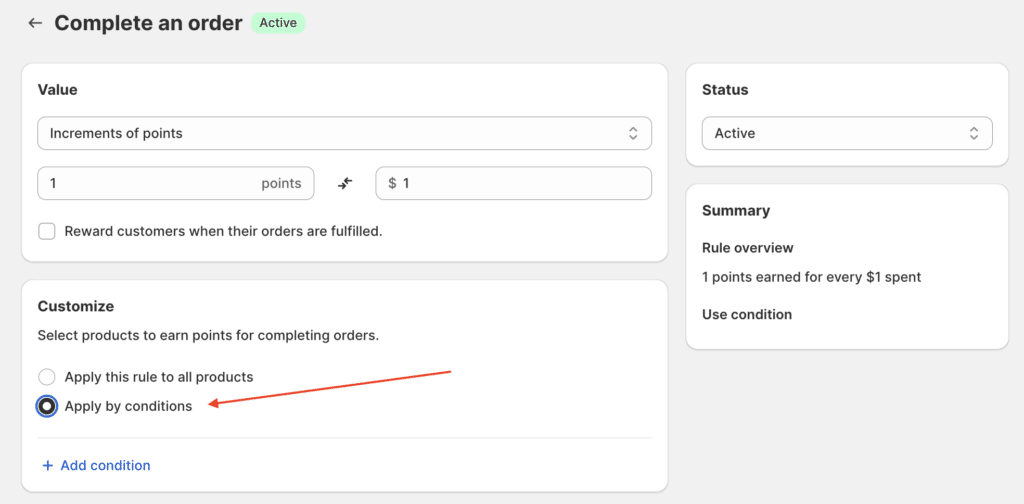
Step 1: Go to your Complete an order rule settings.
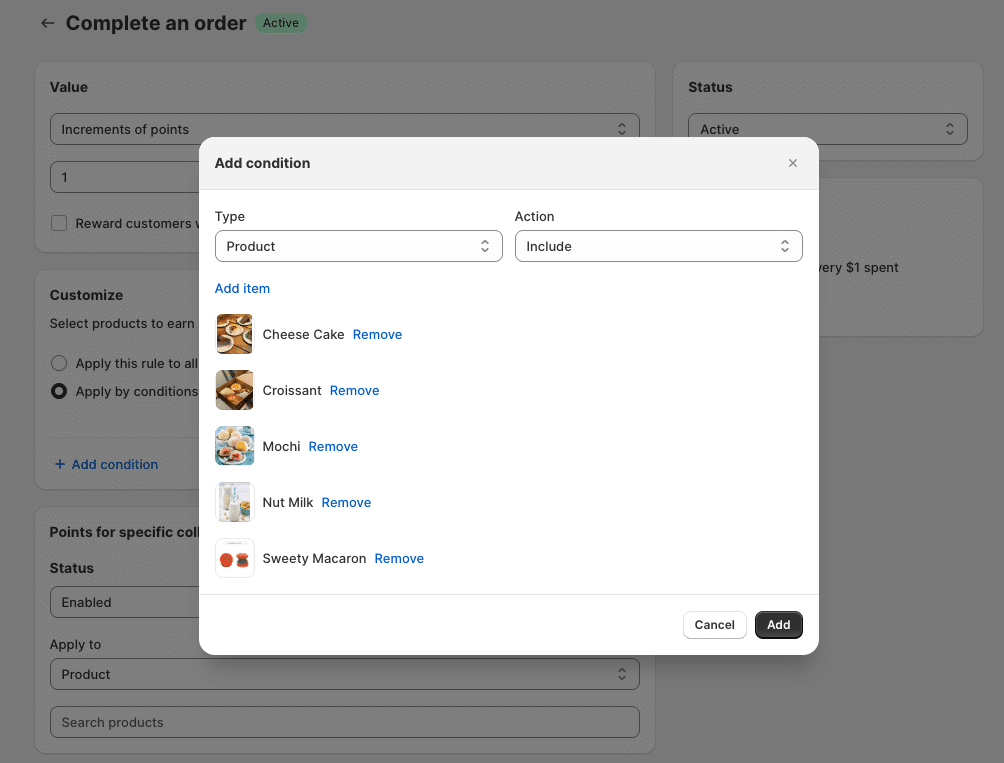
In the Customize section, select whether all products or only specific products will earn points.

  • If Apply by condition is selected > Choose the Product/Collection Includes option and select the necessary products or collections.

注: Only the products and collections selected for Included items list are eligible for the point multiplier benefit.

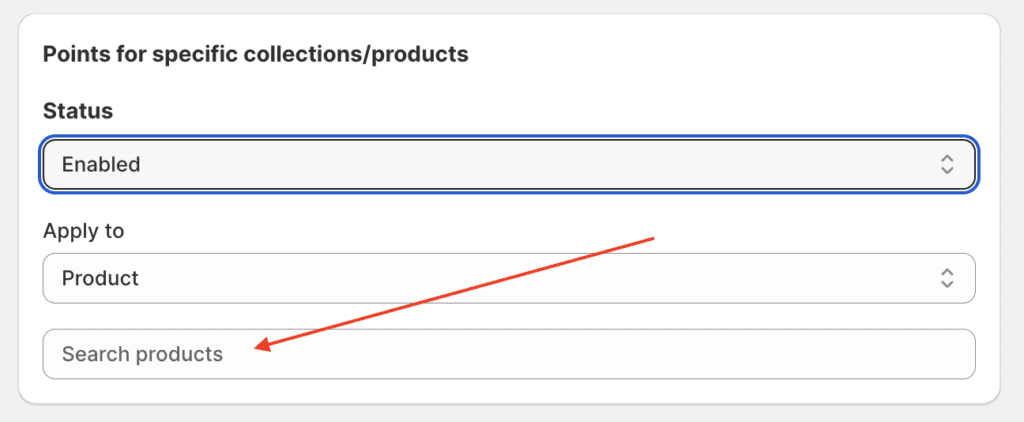
Step 2: Apply the Point Multiplier
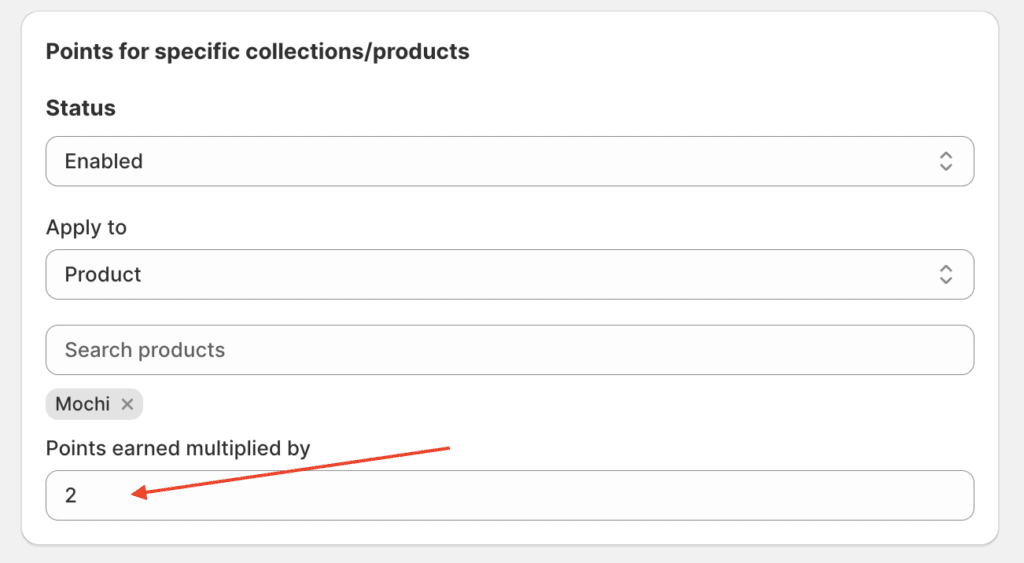
Select the individual product or collection from the list that you wish to award extra points for. You do not need to select all eligible items; you can pick and choose.

Enter the Point Multiplier value. The value must be a whole number (e.g., enter 2 for a 2x multiplier).

Points multiplier display

The point multiplier benefit is automatically reflected in several key areas for your customers:

a. Points Display

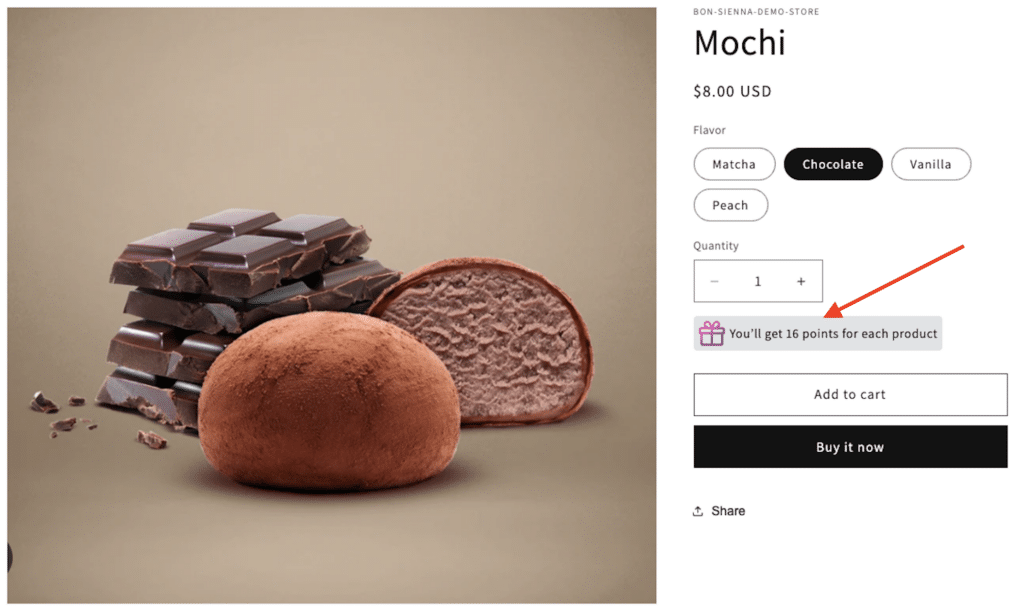
  • Points on Product Page: The potential points earned, including the multiplier, will be displayed directly on the product page.
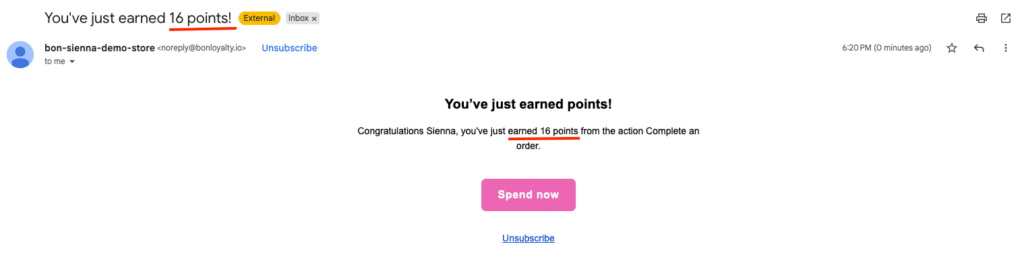
  • Points Earned Email: The final total points earned for the purchase will be accurately reflected in the post-purchase points earned email.

b. Tier Progress & Refunds

  • Tier Progress: All points earned from the multiplier benefit will automatically count toward the customer’s loyalty tier progress.
  • Refunds: If a specific product that earned a point multiplier benefit is later refunded, the total points earned for that product (including the multiplied bonus points) will be revoked from the customer’s balance.
前の
« Set up the Complete an Order earn-point action
次へ
紹介プログラムの設定方法 »

Share
0
BON Loyaltyを無料で試そう!
無料で始める
メニュー
BON Loyalty

BON Loyaltyは、魅力的なポイント・リワード・紹介制度を通じて、顧客エンゲージメントの向上を支援する信頼のソリューションプロバイダーです。

製品情報

  • ホームページ
  • 特徴
  • アップストア

会社情報

  • パートナー募集
  • お問い合わせ

リソース

  • ブログ
  • 動画

法的情報

  • プライバシーポリシー
  • 利用規約
  • データ処理契約(DPA)
© 2021 BON Loyalty - Rewards & Referrals
facebooklinkedintwitteryoutube