定額割引
このガイドでは、BONで定額割引を効果的に設定する手順を詳しく解説します。
はじめに
定額割引は、お客様がポイントを利用して固定金額(例:$100引き、$50引き)を割引として受けられるようにする、価値の高いリワード方法です。
定額割引の設定場所と設定方法
BON Loyaltyで定額割引を作成するには、以下の簡単な手順に従ってください。
- BON > ポイントプログラム > ポイント交換 > 追加 > 定額割引 に移動します。
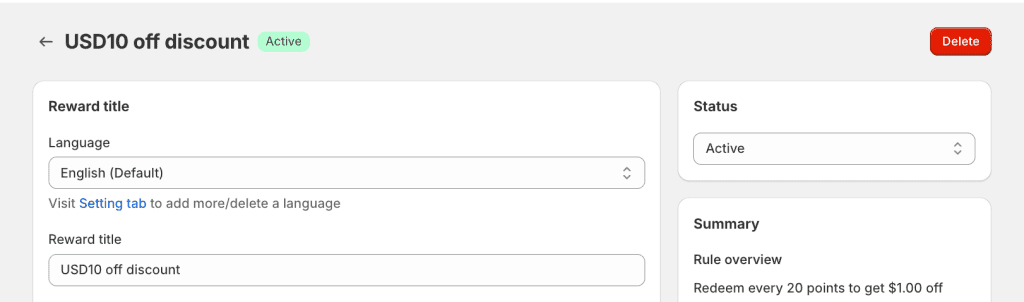
- リワードのタイトルを入力してください。このタイトルは顧客に表示されるため、わかりやすく魅力的な内容にしましょう。
プロのヒント: サイトが多言語に対応している場合は、言語ごとにタイトルを更新してください。BONの多言語表示機能は、Basicプラン以上でご利用いただけます。
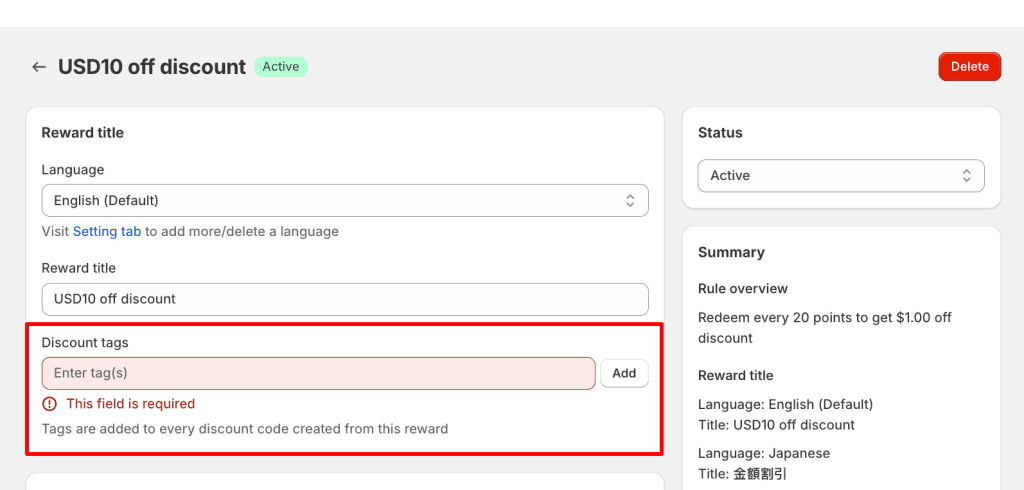
Discount tags (for Shopify Plus merchants):
To combine multiple product discounts on the same product at checkout, enter a discount tag here. The tag will be added to every discount code generated from this reward. You must also configure the corresponding discount combination settings and matching tags in Shopify Plus.
For setup instructions, see Shopify’s guide to combining product discounts on the same product.
定額割引の種類
顧客がポイントを交換する方法に応じて、2種類の「金額割引」から選択できます。
1. 定額割引(Fixed Amount Discount)
このタイプでは、顧客が利用できる固定額の割引を設定します。
例: If you set the rule to allow customers to redeem 100 points for a $100 discount, a customer with 300 points can redeem them three times, receiving 3 separate $100 discount codes.
2. ステップ式ポイント(Increments of Points)
この柔軟な設定では、顧客はポイント数に応じてさまざまな割引額を受け取ることができます。
例: 300ポイントを持つ顧客の場合、以下の選択が可能です:
- 30ポイントを交換 → $3 の割引
- 90ポイントを交換 → $9 の割引
- 300ポイントすべてを交換 → $30 の割引
注意: 顧客側にはスライダーが表示され、交換したいポイント数を自由に選択できるため、より柔軟なポイント利用が可能になります。
ポイント単位交換の追加条件を設定(任意)
- 最低ポイント数: 交換に必要な最低ポイント数を指定します。
例: 顧客は最低でも30ポイントを交換する必要があります。
- 最大ポイント数: 交換可能なポイントの上限を設定します。
例: 顧客は最大で3000ポイントまで交換できます。
両方の金額割引タイプに追加条件を設定(任意)
金額割引をさらにカスタマイズするために、以下の条件を設定できます。
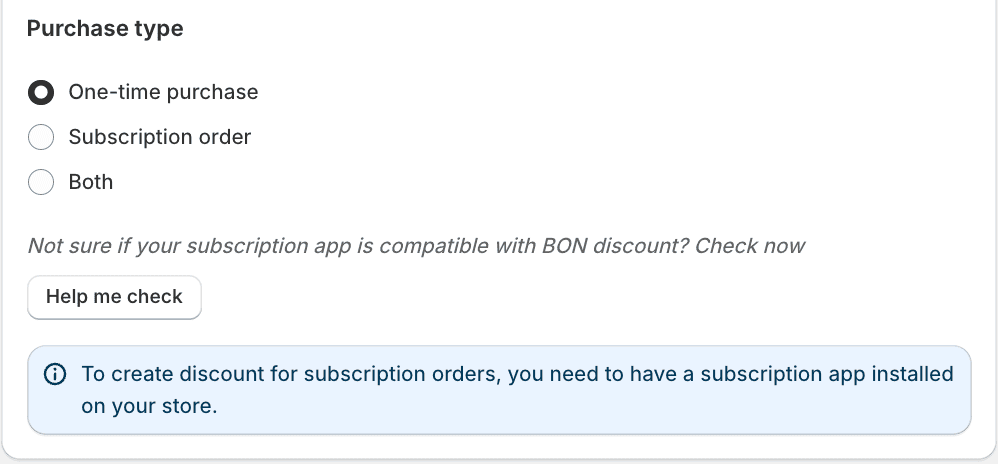
1. Purchase type: To customize which orders are eligible for your Amount Discount, choose one of the following purchase types:
– One-time purchase: Apply the discount to one-time purchases only.
– Subscription order: Apply the discount to subscription orders only.
– Both: Allow the discount to be used for both one-time purchases and subscription orders.
注記: A subscription app must be installed on your store to enable subscription discounts. Click Help me check to verify compatibility.
2. Minimum requirement: Require customers to spend a minimum amount to apply the discount.
例:この割引は、$20以上の購入にのみ適用されます。
3. Product Restrictions: 割引を特定の商品コレクションに限定します。
例: 割引は特定のコレクション内の商品にのみ適用できます。
4. Reward Expiration: 割引コードの有効期限を設定します。有効期限は、交換後すぐにカウントが開始されます。
例: 交換から10日後にコードが失効します。
5. Eligibility: Select if the discount can be applied to all customers, or only to specific segments. These segments are created in Shopify.
6. Combinations: 他の種類のディスカウントと併用できるように設定します。Shopifyのディスカウントは、以下のようなクラス(カテゴリー)に分類されています。
- 注文割引
- 商品割引
- 配送割引
どの割引クラスを併用できるかを確認し、適切に設定してください。
例: $100 の割引(注文割引)と無料商品割引を併用したい場合は、金額割引の設定で「商品割引」にチェックを入れてください。 その後、無料商品割引の設定で「注文割引」にチェックを入れます。 併用を有効にするには、両方の割引タイプで許可を設定する必要があります。これは、パートナーシップにおける相互同意のようなものです。
注意: BON triggers Shopify to create codes based on your in-app settings, so the discount combination logic is managed by Shopify. To learn more, you can visit the Shopify Discount Combinations documentation HERE
このガイドは役に立ちましたか?
このページの内容
Toggle