Prevent customers from participating in your loyalty program using Shopify tags
注記: This feature is available on the Growth plan and higher. The Free Forever and Basic plans can unlock this feature for $10 per month.
How to exclude customers using Shopify tags
To exclude customers using tags assigned in Shopify, please make sure that you have labelled customers with tags before you can exclude them. For convenience, tags can also be assigned automatically using Shopify Flows. Learn more.
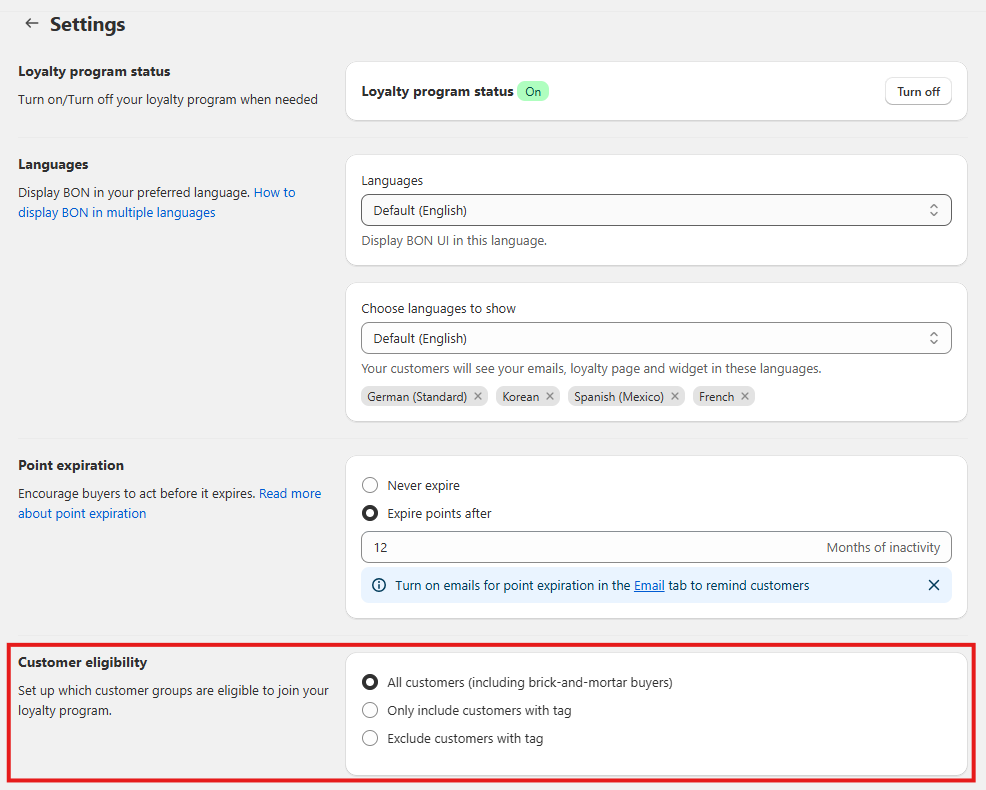
To start, please go to その他の設定 > scroll down to the section called Customer eligibility.
Select which customers will be eligible for joining your program among the 3 customer segments:
All customers (including brick-and-mortar buyers)
Only include customers with the tag
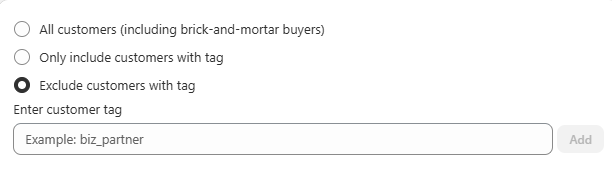
Exclude customers with the tag
When Exclude customer with tag is selected, enter the customer tag that you wish to exclude. Click Save.
注記: The tag needs to be entered exactly as it appears in Shopify. For example, if you enter “biz_partner” in Shopify and “Biz_partner” in BON, the tags won’t match, and the customers would not be excluded.
What happens with excluded customers
When a customer is excluded from your rewards program, they are not notified of this action. The key effects of exclusion are:
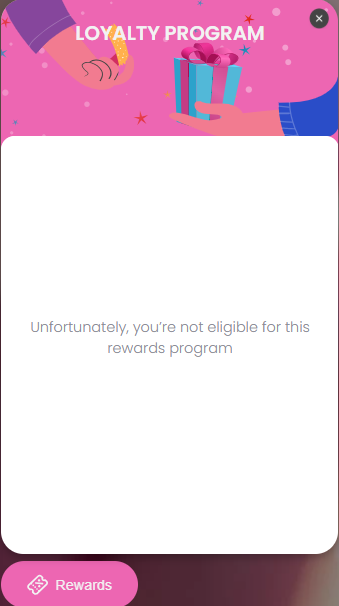
Rewards Program Access: While logged into their store account, the customer will not see any content of the Widget or Loyalty Page, except an excluded message
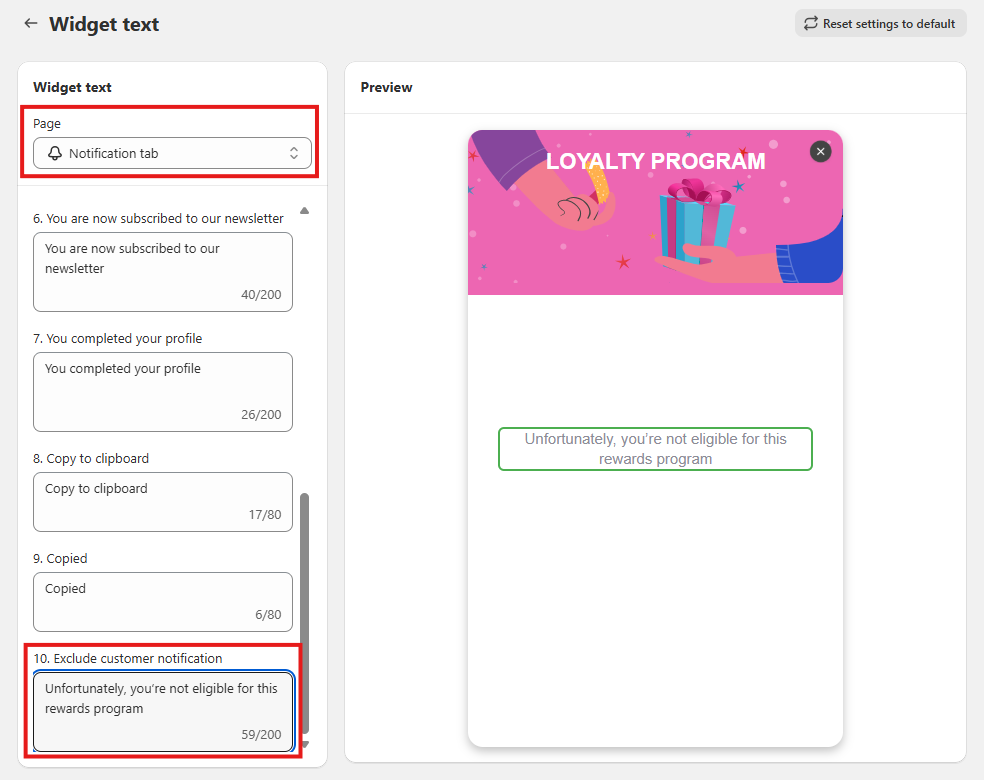
If you would like to customize this text to match your branding, you can update it directly in Branding > Widget text > Page “Notification tab” > 10. Exclude customer notification.
Earning and Spending: They will immediately stop earning points and cannot spend any existing points.
Referral Link: Any active referral link they had will be deactivated and unusable. And a friend who was referred by an excluded customer will NOT receive their referral reward.
Excluding a customer does not delete their profile from BON Loyalty. Store owners can still view their customer profile and readmit them to the program at any time in the future.
Note about program visibility: If the excluded customer is not logged into their store account, they will still see the rewards program on your store. However, logging in will trigger the exclusion flow, and customers will not be able to view the loyalty program.