


Celebrate special occasions with your customers with Anniversary rewards
Automatically send loyalty points on meaningful customer milestones – no manual work needed
NOTE: This feature is available from the Growth plan and higher. Check out our Pricing plans for more details.
Introduction
Shoppers don’t just buy – they build a relationship with your brand over time. Anniversary Rewards lets you celebrate that relationship automatically: On any custom date you define, BON loyalty helps sending them a reward without any manual action on your part. It’s a low-effort, high-impact way to show customers they’re remembered.
How it works
Step 1: Navigate to the rule
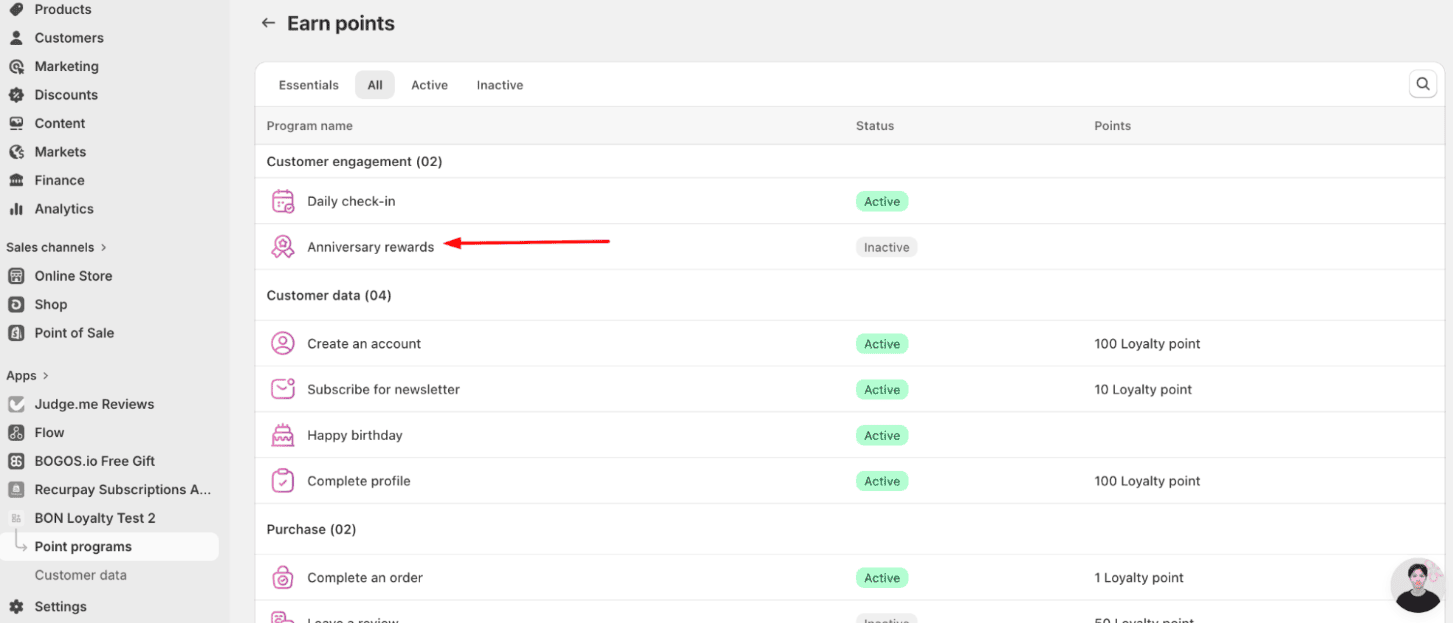
To configure Anniversary Rewards, go to Earn points > Customer engagement, then click on Anniversary reward.
Step 2: Setup your milestone type
To start, you can ‘Edit’ the default milestone, or create a new one.

Under the Milestone settings section, add one or more milestones. For each milestone, configure:
- Rule status: Activate the chosen milestone reward
- Reward title: Customize the name of the reward. This name will be displayed on the widget/loyalty page. You can also customize the name in multiple languages.
- Time: Define a specific date for your anniversary. On this day, points will be rewarded automatically to your customers.
- Points awarded: The number of points the customer receives at that milestone. Whole numbers only.
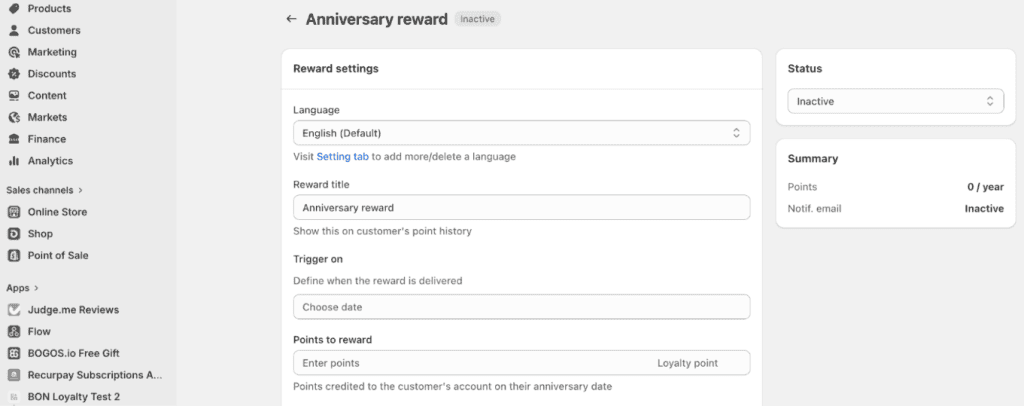
- Customer eligibility: Optionally restrict the reward to specific VIP tiers (e.g. Silver, Gold), or to specific customer segments with tags.
– Select customers by their VIP tiers

– Select customers by tags

IMPORTANT NOTE:
- Changing the Entry method in the VIP program will result in resetting all customer’s tiers. By this time, you will need to go and re-select the tiers that are eligible for anniversary reward.
- To select customer segments by tag, you need to enter the exact format of the tag as it is in Shopify. For example: Elite – Elite is valid. Elite – elite is invalid.
Step 3: Review notes before activating
- Timezone: All anniversary rewards are issued based on your selected timezone. If your customers are in a different timezones, the reward may appear to arrive slightly earlier or later than the local time.
- One-time claim: Points will be added to the customer’s point balances automatically on the configured date.
- Rewards are not retroactive: The system only sends rewards on the exact anniversary date. Setting up a milestone today will not back-fill rewards for customers whose anniversary has already passed.
- Multiple milestones on the same day: If two milestones are scheduled for the same date, each customer receives the reward for the milestone that matches the customer eligibility setting. Customers who qualify for both receive both rewards independently.
Step 4: Activate the rule
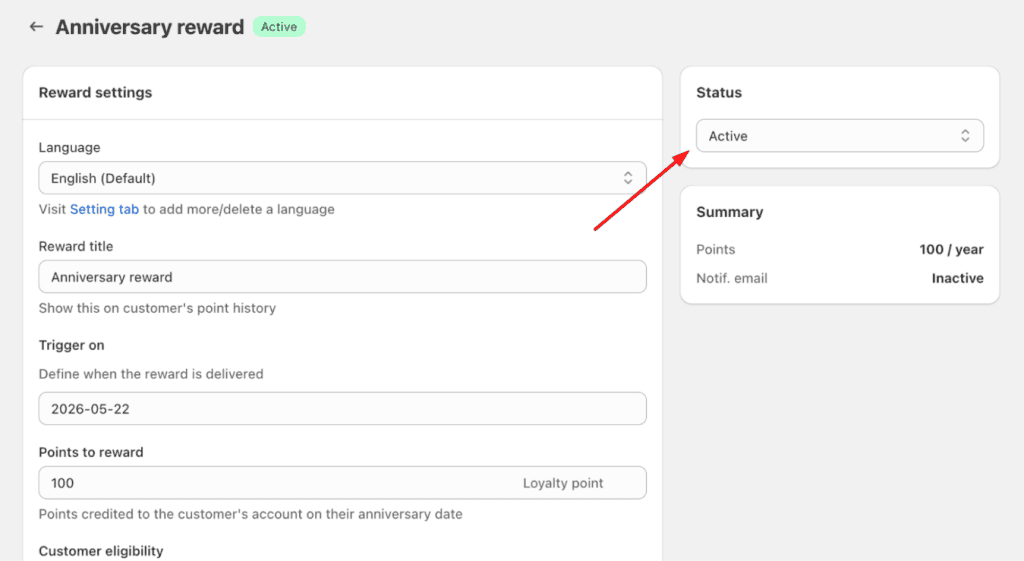
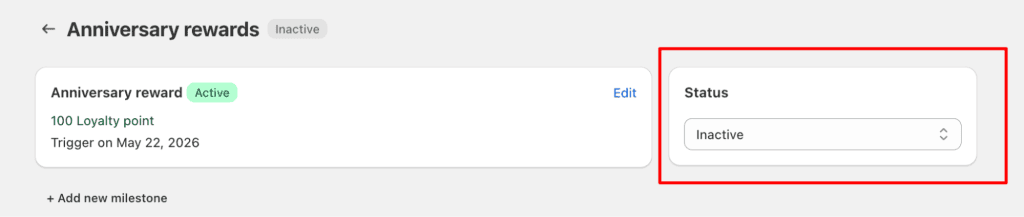
When your milestones are ready, remember to activate the reward status first. Then, go to the overview menu and activate the rule status.
- Turn on your reward status to make sure customers receive points on the anniversary
- Turn on the rule status so your reward can be run as it is configured
Storefront display
Once your rule is active, Anniversary reward surfaces automatically in both the loyalty widget and the loyalty page on your storefront.
Customizing the display text
To edit the text displayed, navigate to Widget texts > select My balance tab from the dropdown. Scroll to the box no.25 to update the associated text field.
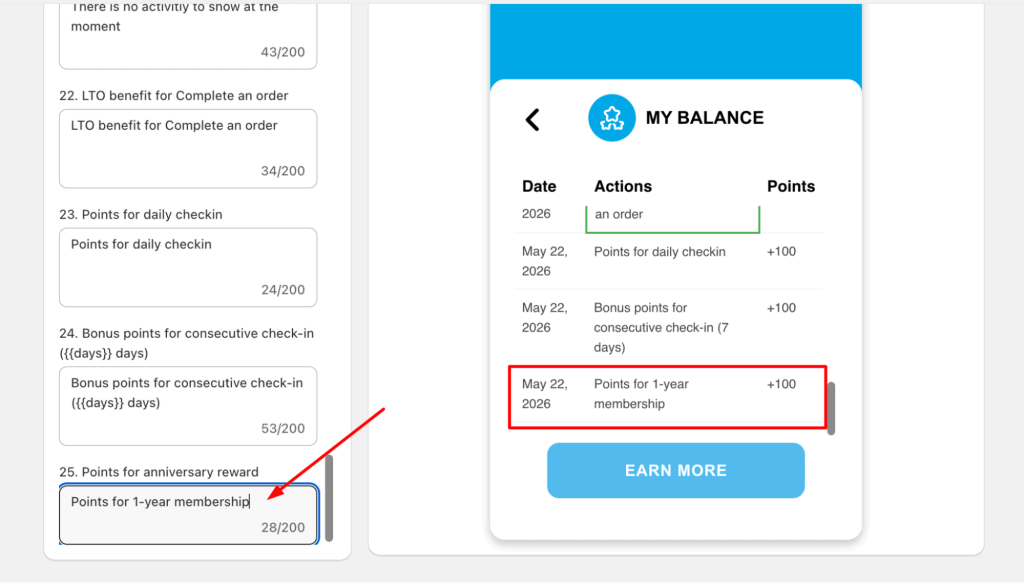
NOTE: The rule’s name appearing on the storefront (Widget and Loyalty Page) follows the Reward title setting.
Email notification
An automated email is sent to customers when their anniversary reward is issued. The default email is in English. If your store serves a non-English market, update the email template content to match your customers’ language.

FAQ & Troubleshooting
1. A customer didn’t receive their anniversary reward – what should I check?
First, confirm that the rule is set to Active. Rewards are only sent when the rule is running. Also check that the milestone date is configured correctly – rewards are issued on the exact date and are not sent retroactively.
2. Can I set multiple milestones for the same customer?
Yes. You can create multiple milestones (e.g. 12 months and 24 months). Each milestone is triggered independently on its scheduled date, and each can be claimed only once.
3. What happens if two milestones fall on the same date?
Each customer receives the reward for the milestone that matches their eligibility. If they qualify for both, they receive both rewards.
4. What happens if I downgrade my plan?
Anniversary Rewards feature available from the Growth plan or higher. If your store is downgraded, the feature will be locked and no rewards will be sent until the plan is restored.
5. Does the anniversary reward count toward VIP tier points?
No, since VIP tier only counts points that are earned proactively by purchasing or interacting with your program.
Was this guide helpful?
On this page
Toggle