4 steps to ensure customers earn points for their orders
Introduction
The “Complete an Order” action in BON Loyalty rewards customers with points for every purchase, encouraging repeat business and strengthening brand loyalty through seamless integration with your Shopify store.
Types of points
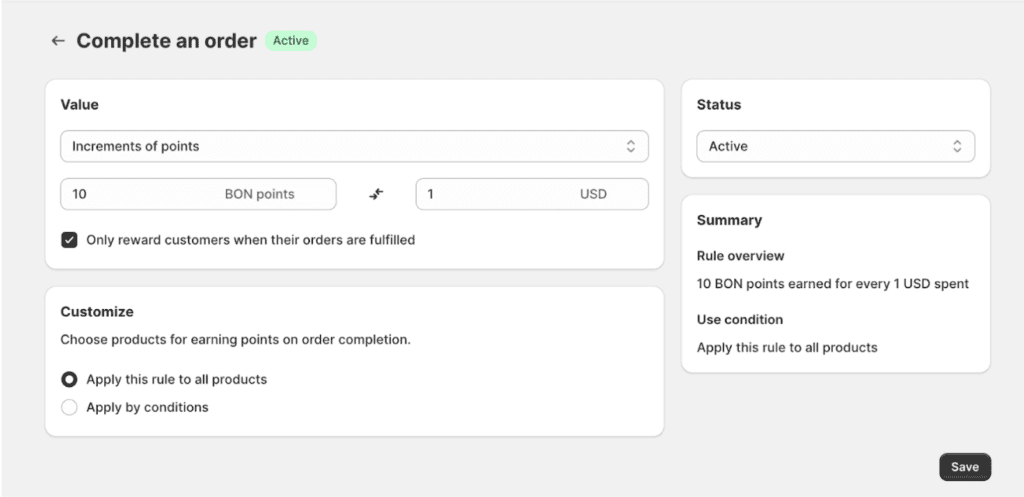
Increments of Points Customers earn points based on how much they spend. The more they spend, the more points they get.
Setting It Up: Set the rule as X points for every Y {currency unit} spent. Example: If you set it to “10 points for every $1 spent,” a $10 purchase earns 100 points.
Key Points:
Only whole numbers are allowed for X and Y (no decimals).
Orders with a subtotal value greater than $0 are eligible to earn points based on the configured point-earning rate.
Points round up if they’re 0.5 or more, and round down if they’re 0.4 or less. Example: Earning 1 point per $10 spent. – A ≤ $4 purchase earns 0 points (4/10 = 0.4 → round down to 0). – A $8 purchase earns 1 point (8/10 = 0.8 → round up to 1). – A $15 purchase earns 2 points (15/10 = 1.5 → round up to 2).
Points are calculated based on the order subtotal (after discounts and excluding shipping).
Tax can be included in the points calculation if “Include tax in order total” is enabled in the general settings. IMPORTANT NOTE: If tax is already included in the product price, please disable this option to ensure that additional points for tax are not unintentionally added.
BON Pro Tip:
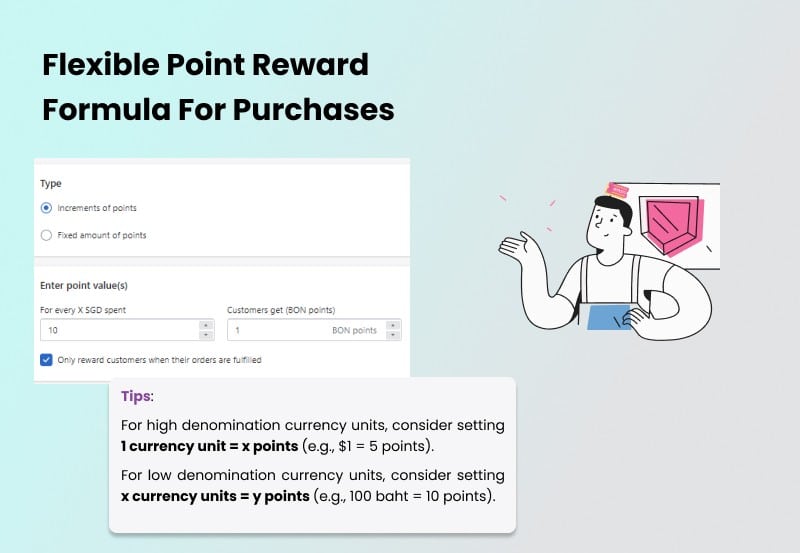
For higher-value currencies, consider setting 1 unit = X points (e.g., $1 = 5 points).
For lower-value currencies, consider setting X units = Y points (e.g., 100 Baht = 10 points).
You want to be generous, but not break the bank, right? A typical loyalty program usually dishes out 3% to 10% cashback. So, take a look at your margins and find that sweet spot that works for you.
Fixed Points
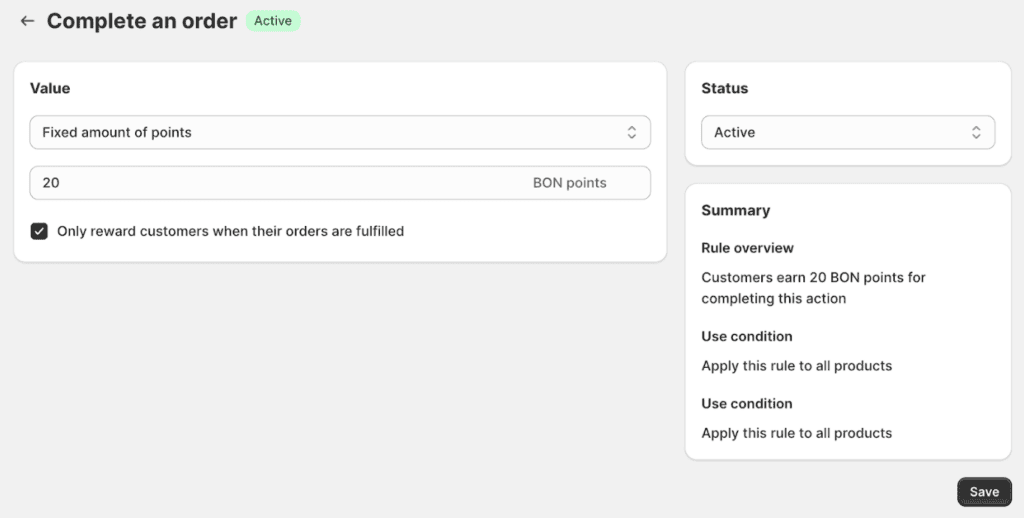
Customers earn a set number of points per purchase, no matter how much they spend. Example: Every order earns 20 points if set to 20 points per purchase.
Product/collection inclusions and exclusions
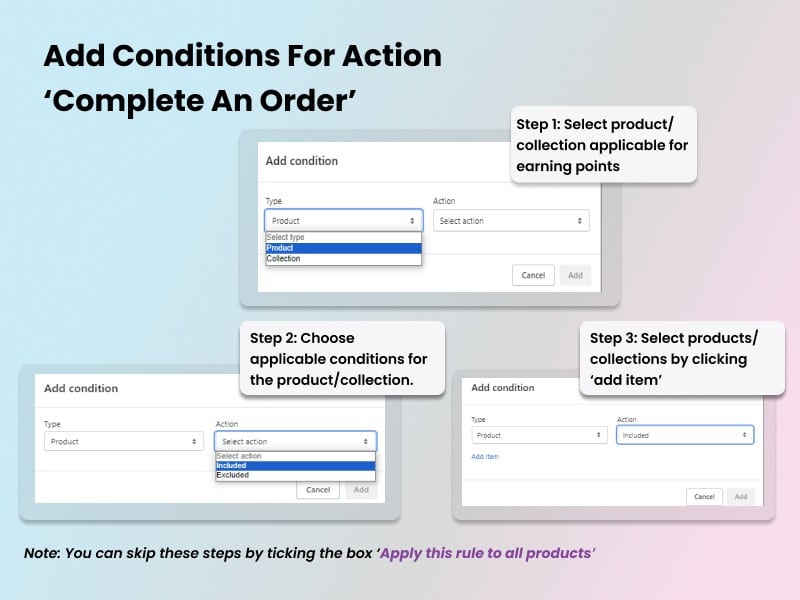
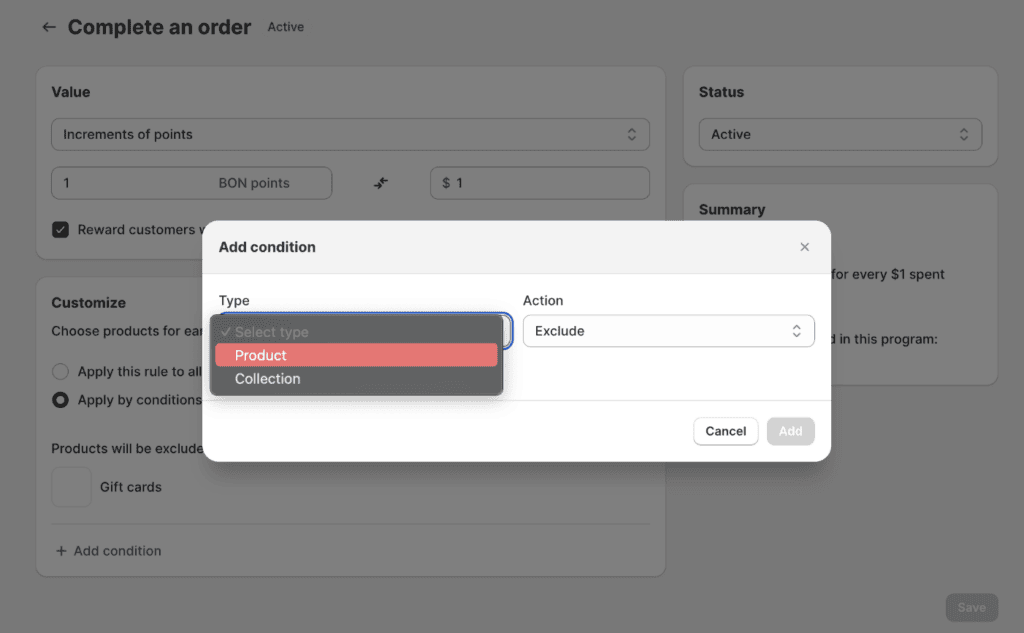
You can include or exclude specific products or collections from earning points with the “Increments of Points” option.
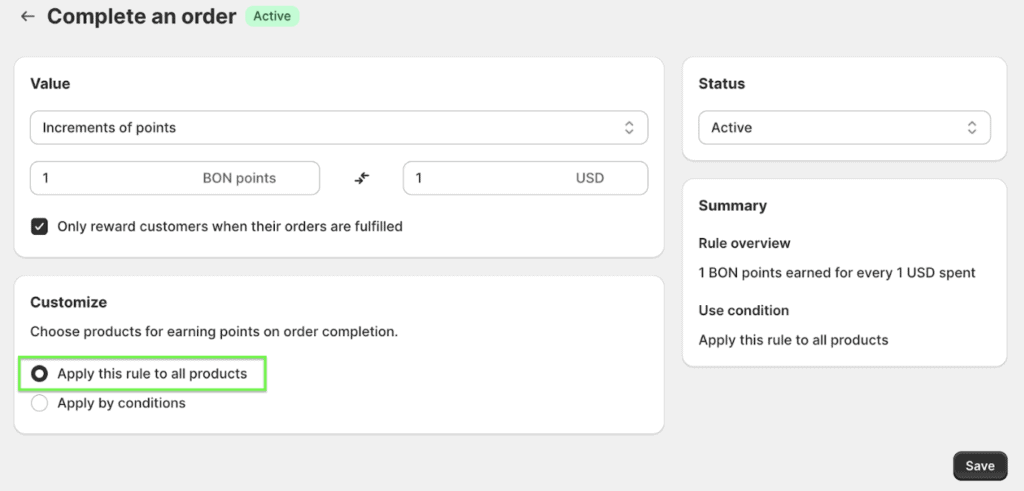
NOTE: Skip these steps and check the box “Apply this rule to all products” if you want to reward points to all products.
How to Set Up:
Select the Product or Collection.
Choose Include or Exclude.
Add the items you want.
NOTE: You can include or exclude specific variants individually to customize product eligibility for your loyalty program.
If you’d like to promote sales for a specific collection or for multiple products to your customers, you can check out how to set a point multiplier for a specific collection or products in THIS DOC.
NOTE: This feature is available on the Growth plan and above.
When do customers receive points?
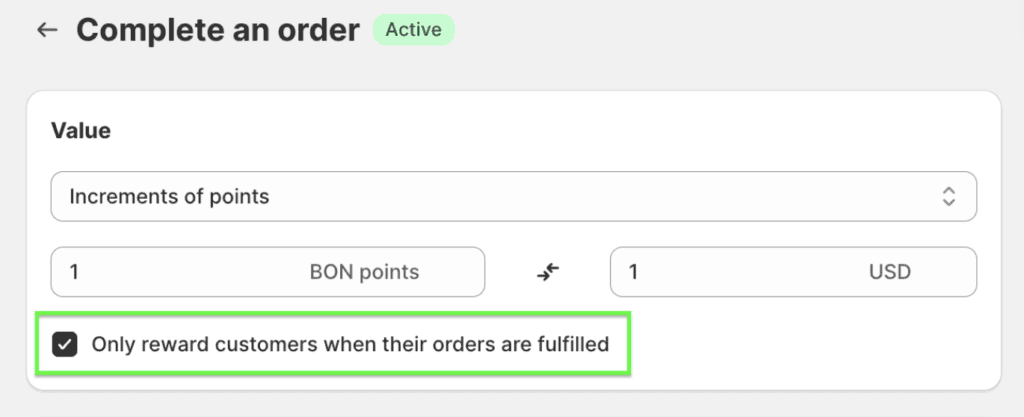
You can decide if customers earn points immediately after purchase or only after their orders are fulfilled in Shopify.
Fulfillment Option: If chosen, make sure orders are marked as fulfilled in Shopify for customers to receive points.
If customers aren’t getting points, check the following:
1. Data Sync Delays:
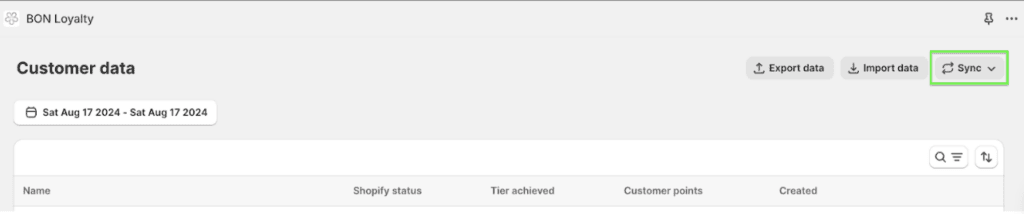
BON relies on Shopify for order data, so delays from Shopify can happen. To speed up the process, you can manually sync orders in the Customers Data tab to trigger Shopify to send the data faster.
2. Fulfillment Settings:
Ensure orders are marked as fulfilled in Shopify if points are awarded after fulfillment.
3. Product Eligibility:
Verify that the products or collections in the order in question are eligible for earning points.
If certain products or collections are excluded from the “Complete an Order” action, customers won’t earn points for purchasing them.
Conversely, if only specific products or collections are included in the “Complete an Order” action, any items not listed won’t earn points.
4. Exceptions:
Orders placed before installing BON or while BON is deactivated won’t earn points.