How to view and redeem points in Shopify Customer Admin with BON Loyalty
Better management of customer loyalty data in the Shopify Customer page without having to navigate back-and-forth between BON and Shopify admin
NOTE: This feature works inside your Shopify admin, on the customer detail page. Make sure BON Loyalty is activated and rewards are active.
Introduction
The BON Loyalty extension in Customer Admin allows you to: – View a customer’s current points balance without leaving Shopify. – Redeem rewards on behalf of a customer directly from the customer detail page. – Undo a redemption if it was made by mistake — the discount code is removed and the points are returned.
Step 1: Add the BON Loyalty block
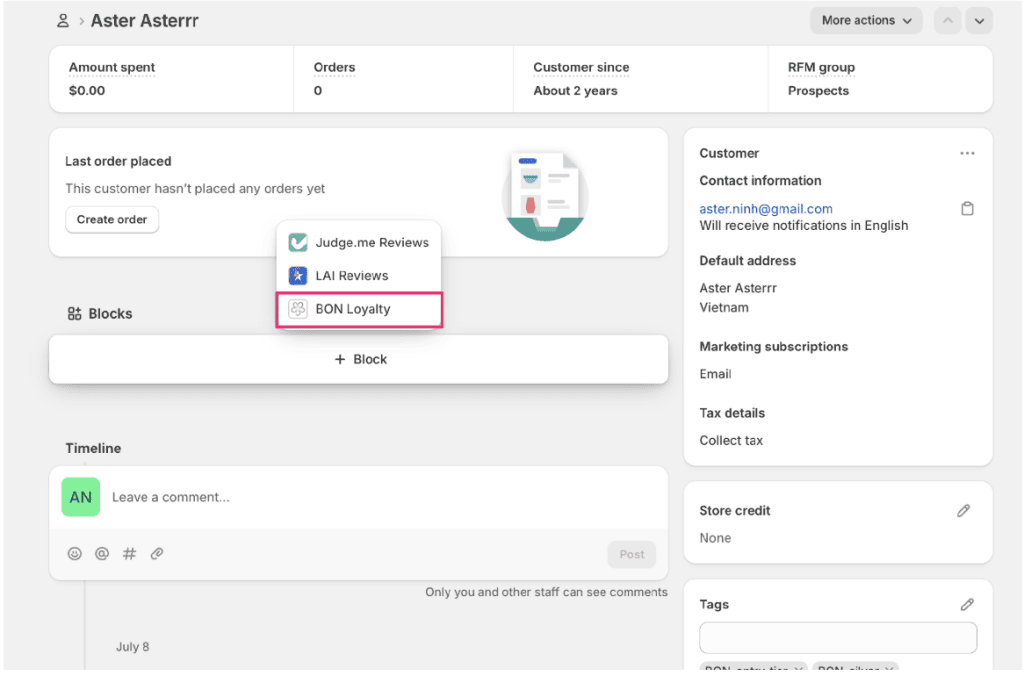
On the customer detail page in Shopify admin, go to the Blocks section and click + Block. From the dropdown, select BON Loyalty.
Once added, the BON Loyalty block will appear on the customer detail page, showing the customer’s current points balance along with Redeem points and View in BON buttons.
Step 2: Redeem points for the customer
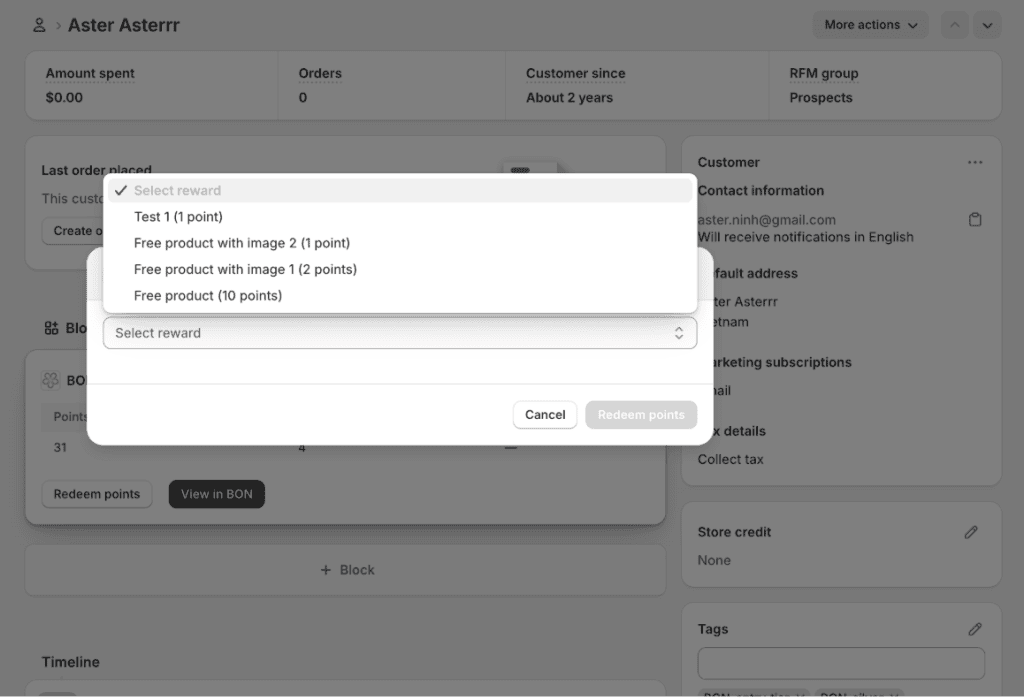
Click Redeem points on the BON Loyalty block. A dropdown will appear listing the available rewards along with the points required for each. Select the reward you want to redeem for the customer, then click Redeem points to confirm.
Step 3: Get the reward code
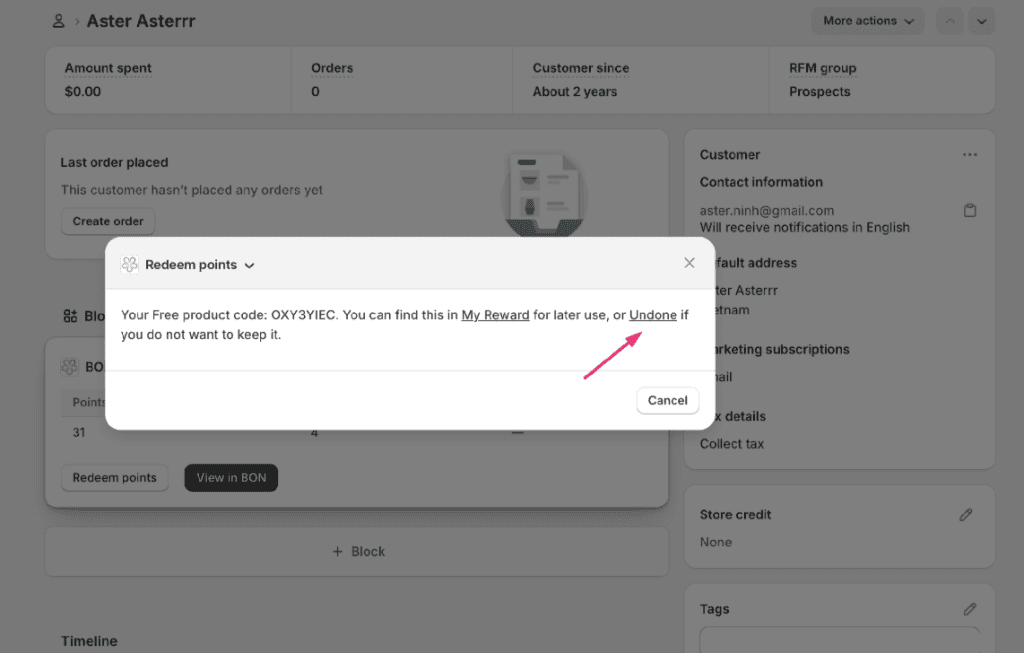
sAfter redeeming, BON will display the generated reward code (for example, a free product code). The customer can find this in My Rewards for later use.
REVERT POINTS: Redeemed by mistake? You can cancel the reward you just redeemed by clicking Undo in the confirmation message.
IMPORTANT NOTE: When you click Undo, the discount code is deleted and the redeemed points are reverted to the customer’s balance. Undo is intended for corrections right after redeeming. Once the customer has used the code, it can no longer be undone.
If you need help viewing or redeeming points in Customer Admin, feel free to reach out to our support team via live chat in the BON app or email us at [email protected].