Learn how to integrate BON with Omnisend and how to set up marketing campaigns in Omnisend using BON’s attributes
NOTE: This feature is available on the Basic plan and higher. Check out our Pricing plans for more details.
Introduction
Introducing Omnisend, a leading email and SMS marketing automation platform designed for e-commerce. This integration between BON Loyalty and Omnisend allows us to enhance your loyalty experience by delivering personalized and timely communications.
By combining all loyalty properties into Omnisend’s powerful marketing tools, you can now send real-time updates on customers’ points, exclusive offers, and tailored content based on their activities.
How to set up integration with Omnisend?
To integrate BON with Omnisend, your store needs to subscribe to the Basic plan or higher. Before being able to customize, your store must meet all of these requirements:
You already have an active account on Omnisend.
Your Omnisend account’s email must be identical to your Shopify store’s default email. NOTE: Each integrated account only works with one store only.
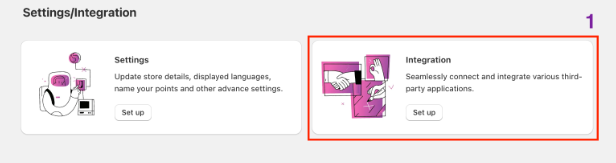
Step 1: To start your integration, go to Settings tab in BON Loyalty > Select ‘Set up’ for Integrations tab.
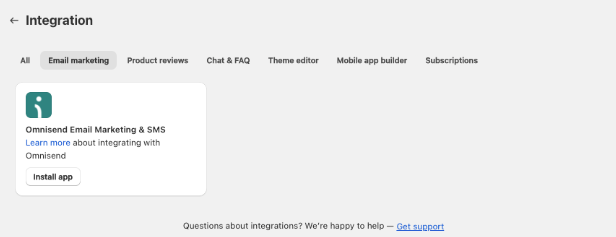
Step 2: Once you are in, you’ll find Omnisend in the Email marketing section.
Step 3: Once you click ‘Install app’, you’ll be taken to Omnisend app listings for detailed information regarding features and users’ reviews.
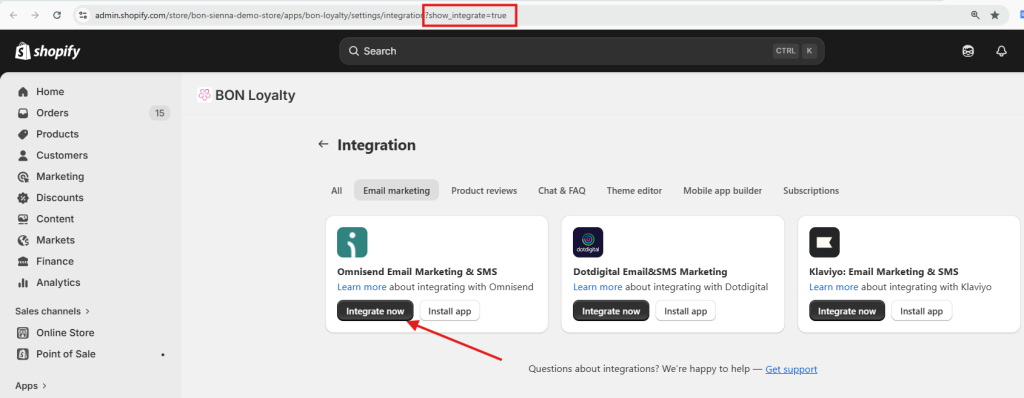
Step 4: To integrate, please input this attribute ‘?show_integrate=true’ in the URL to activate the ‘Integrate now’ button.
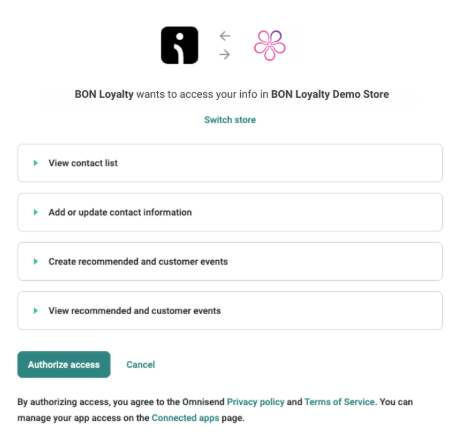
Step 5: Once you click ‘Integrate now’, you will be taken to Omnisend. Here, please review the request data form, then click Allow to complete this integration.
How to implement BON's data in the Omnisend app
After the data in BON has been synced successfully, now you can use loyalty program data in your email campaign.
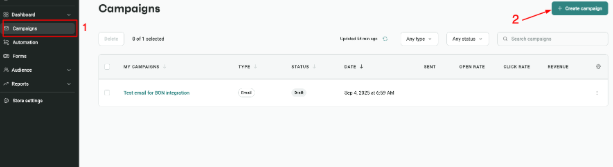
To start, go to your Omnisend app > select Campaign > Create a campaign
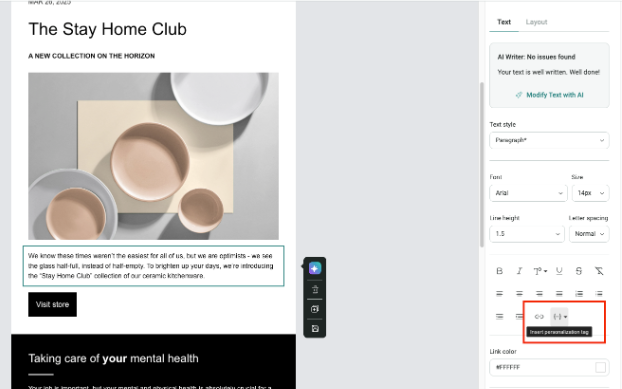
Then, click on the content section > On the right-hand side menu, select Insert personalization tag.
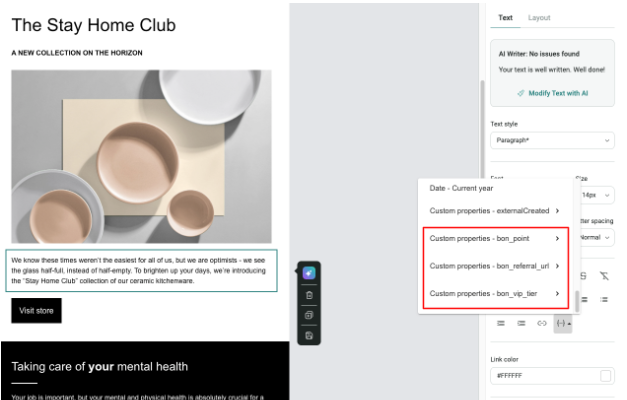
You’ll find a list of available properties to insert in your email content. These properties are dynamic contents, which means the value will update in accordance to the recipient’s data. The synced data will include: – Point balances – Referral URLs – Customers’ tiers
Also, these properties are synced once every 4 hours. So if you need to send an email with real time data, please go to the Integration tab in BON > Click Sync.