How to connect BON Loyalty to Klaviyo’s Customer Hub?
Learn how to add BON Loyalty to your Klaviyo CustomerHub, which enables customers to view points and redeem rewards directly
NOTE: To use this integration, you’ll need an active Klaviyo account with the Customer Hub feature, and subscribe to the Starter plan or higher in BON Loyalty. Check out our Pricing plans for more details!
Introduction
BON Loyalty now integrates with Klaviyo’s Customer Hub, meaning store owners can surface customers’ loyalty and rewards data directly inside the on-site Customer Hub interface.
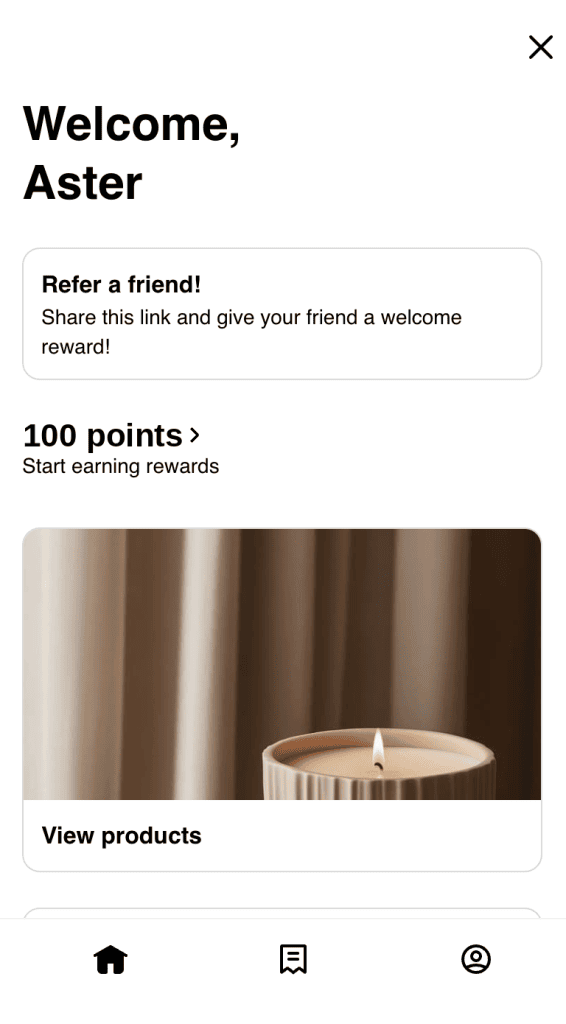
Thanks to this integration, shoppers can view their points, rewards, and tier status – and most excitingly, redeem rewards without leaving your store, helping you drive engagement and deepen long-term loyalty.
Before you begin
This guide provides step-by-step instructions for integrating BON Loyalty and Customer Hub. For more information about how data syncs between the two platforms and how customers interact with loyalty data in Klaviyo, view BON Loyalty x Klaviyo integration for reference.
Connect BON Loyalty and Customer Hub
You can enable BON Loyalty to display data in Customer Hub in a few steps.
IMPORTANT NOTE: Please make sure you have installed BON Loyalty in Klaviyo, and your loyalty program is active.
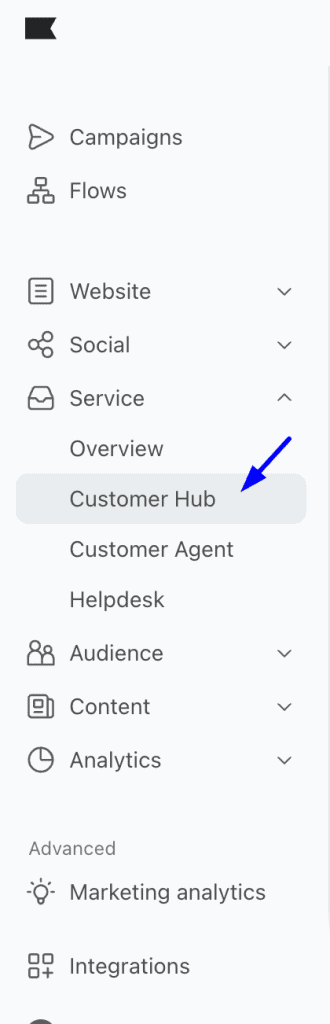
1. In Klaviyo’s main left-hand navigation, select Services > Customer Hub.
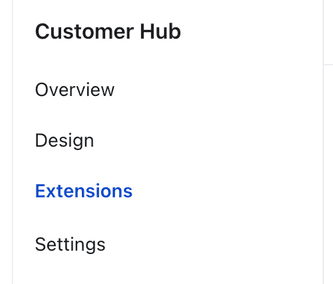
2. Click Extensions.
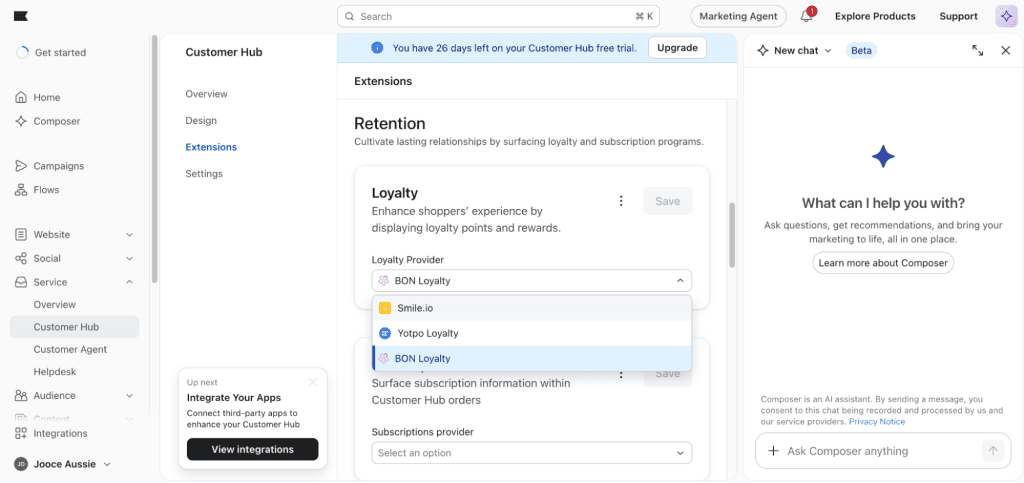
3. Under Loyalty, select BON Loyalty from the provider dropdown.
4. Click Save.
Once enabled, Klaviyo begins dynamically displaying visitors’ loyalty and rewards data from BON Loyalty in Customer Hub. This enables customers to quickly view and redeem their rewards.
Customize display for store visitors
Klaviyo cannot surface loyalty data for visitors who haven’t logged in or joined your loyalty program yet; however, these shoppers can still engage with Customer Hub.
Store visitors who open the Customer Hub drawer will see your Welcome message and a button encouraging them to log in. You can update the Welcome message to highlight your BON Loyalty program benefits from the Content settings in Klaviyo.
Next steps
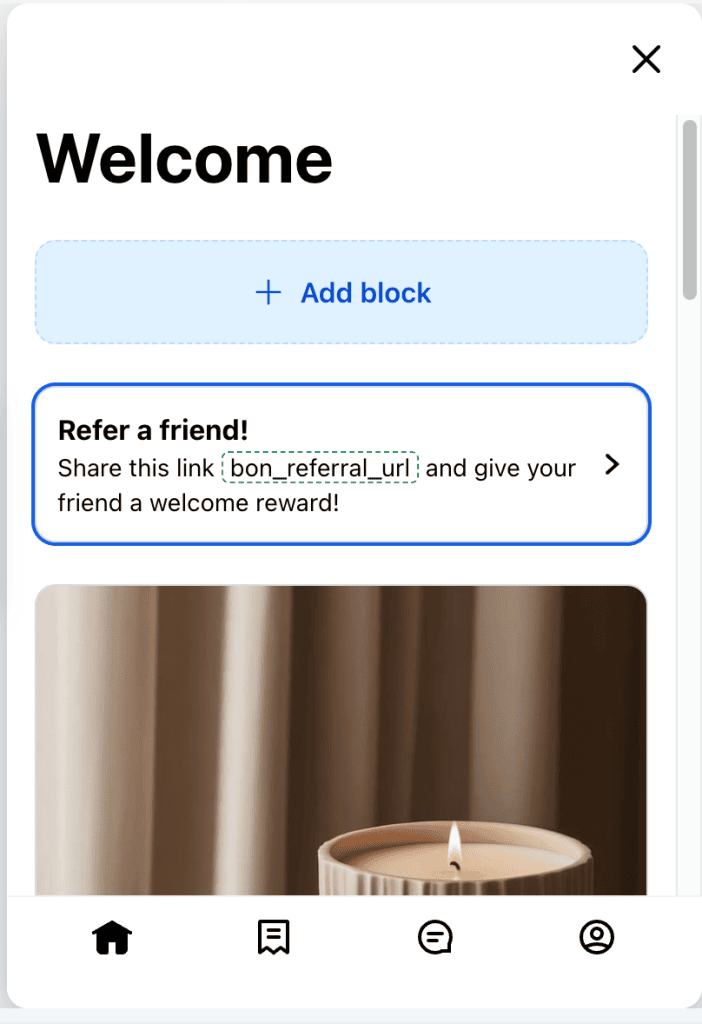
Currently, only active points balance, fixed amount discounts, and loyalty tier display in the Customer Hub drawer. If you’d like to display additional data from BON Loyalty in Customer Hub, you can use personalization tags in a content block to surface extra profile data (such as VIP tier name or referral URL) for a more personalized experience.
BON Loyalty and Klaviyo need to be integrated to sync these additional properties to Klaviyo profiles. See our guide on how to integrate BON Loyalty with Klaviyo.
IMPORTANT NOTES:
Loyalty data only displays for shoppers who are logged in and enrolled in your BON Loyalty program.
The redeem flow is synchronous: When a customer redeems through Customer Hub, BON adjusts the balance and returns a discount code in real time.
If you need help checking whether loyalty data is displaying or redeeming correctly in Customer Hub, feel free to reach out to our support team via live chat in the BON app or email us at [email protected].